
What Is Access Control? Types, Models, Examples & Best Practices
Access control is the set of policies, technologies, and processes that regulate who can view, use, or interact with an organization's resources; its systems, applications, data, and networks. It determines which users and accounts are permitted to reach specific resources, under what conditions, and to what extent.
In practical terms, access control answers three questions that sit at the heart of every security decision an organization makes: who are you, are you authorized to access this resource, and under what circumstances should that access be permitted?
The mechanisms that consistently answer those questions across every user, every device, and every application are what make access control one of the most foundational elements of any cybersecurity services strategy.
When access control is well designed and actively managed, it limits the damage any single compromised account can cause, reduces the attack surface available to adversaries, and supports compliance with regulatory frameworks that mandate strict data access governance.
When poorly configured or neglected, it becomes one of the most commonly exploited vulnerabilities in an organization's environment, providing attackers with pathways that, from a system's perspective, appear entirely legitimate.
At ER Tech Pros, access control is not a checkbox. It is an ongoing managed discipline, one that our team implements, monitors, and maintains on behalf of businesses that need their identity and access environments to be as secure in practice as they are on paper.
What Is Access Control?
Access control is a cybersecurity process that determines who or what can access a system, application, network, device, or data and what actions they are permitted to perform. It combines authentication, authorization, permissions, and security policies to ensure users and systems receive only the access they need.
What Are the Types of Access Control?
Access control can be implemented using different models depending on an organization's security requirements, workforce structure, data sensitivity, and compliance obligations. The most common access control models include Role-Based Access Control (RBAC), Attribute-Based Access Control (ABAC), Discretionary Access Control (DAC), and Mandatory Access Control (MAC).
Role-Based Access Control (RBAC)
Role-Based Access Control grants permissions according to a user's job role or function. Instead of assigning permissions individually, administrators create roles such as administrator, finance manager, HR employee, or standard employee and assign the appropriate permissions to each role.
RBAC is commonly used by businesses because it simplifies permission management and supports the principle of least privilege. When an employee changes departments or responsibilities, administrators can modify the user's role rather than manually changing individual permissions.
Attribute-Based Access Control (ABAC)
Attribute-Based Access Control evaluates multiple attributes before allowing or denying access. These attributes can include the user's role, department, location, device, resource being requested, time of access, and other environmental conditions.
For example, an organization could configure an access policy that allows an employee to access sensitive financial information only when they are using a managed company device and connecting from an approved location.
ABAC can provide more granular and context-aware access decisions than traditional role-based permissions. NIST describes ABAC as an authorization methodology that evaluates attributes associated with the user, requested resource, operation, and environmental conditions against defined policies and rules.
Discretionary Access Control (DAC)
Discretionary Access Control gives resource owners control over who can access a particular resource. The owner can grant or revoke permissions based on the organization's access policies.
DAC is flexible and relatively straightforward to implement, but excessive user-controlled permissions can make access management difficult to monitor in large environments.
Mandatory Access Control (MAC)
Mandatory Access Control uses centrally defined security policies and classifications to determine access. Individual users generally cannot change permissions at their discretion.
MAC is commonly associated with environments where information confidentiality and strict security classifications are critical. ISO identifies MAC, RBAC, and ABAC among established access control approaches.
Rule-Based Access Control
Rule-Based Access Control uses predefined rules to determine whether access should be permitted or denied. Rules may consider conditions such as network location, time of day, device status, or security policies.
For example, an organization could restrict administrative access to specific applications outside normal business hours unless additional verification is completed.
What Are the Main Components of Access Control?
An effective access control system typically combines several components that work together to make and enforce access decisions.
Authentication
Authentication verifies who a user or system is. Common authentication methods include passwords, security keys, authenticator applications, biometrics, and certificates.
Authorization
Authorization determines what an authenticated user or system is allowed to access and what actions they can perform.
For example, an employee may successfully authenticate to a company's network but may not be authorized to access payroll records.
Permissions
Permissions define the specific actions a user or system can perform on a resource. These actions may include viewing, creating, modifying, downloading, deleting, or sharing information.
Access Policies
Access policies establish the rules used to determine when access should be allowed or denied. Policies can define requirements for users, devices, applications, locations, data, and other conditions.
Accountability and Auditing
Access logs provide visibility into access decisions and user activity. Organizations can use these records to investigate suspicious behavior, identify policy violations, support compliance requirements, and determine how an account interacted with sensitive resources.
Authentication vs. Authorization: What Is the Difference?
Authentication and authorization are related but serve different purposes.
Authentication asks: “Who are you?”
Authorization asks: “What are you allowed to access?”
For example, an employee may enter their username, password, and MFA code to authenticate to a company's system. After authentication succeeds, authorization policies determine whether that employee can access financial records, modify customer information, or administer IT systems.
Understanding the difference between authentication and authorization is important when designing access control policies because successfully verifying a user's identity does not automatically mean that the user should have access to every resource.
How Organizations Control Access: Key Methods
Access control in practice is implemented through a combination of methods that work together to verify identity, enforce permissions, and maintain visibility across the environment.
Password Policy
A foundational access control requirement. Effective password policies mandate minimum length, complexity requirements combining uppercase and lowercase letters, numbers, and special characters, restrictions on password reuse, and clear guidance on password management. Passwords alone, however, are not a sufficient access control mechanism in any modern business environment; they are the starting point, not the finish line.
Single Sign-On (SSO)
SSO allows users to authenticate once and access multiple applications with a single set of credentials. It streamlines the user experience, reduces password fatigue, and, critically, consolidates identity verification into a single, highly protected mechanism rather than distributing it across dozens of individual application logins. For organizations running multiple cloud and on-premises applications, SSO combined with MFA provides a strong, manageable authentication foundation.
Multi-Factor Authentication (MFA)
Passwords can be guessed, stolen, or cracked through phishing and brute force attacks. MFA addresses this directly by requiring users to provide a second form of verification beyond their password: something they have, such as a mobile authentication code or hardware token, or something inherent to them, such as a biometric confirmation. Even if an attacker obtains a user's password, MFA ensures that the credentials alone are not sufficient to gain access.
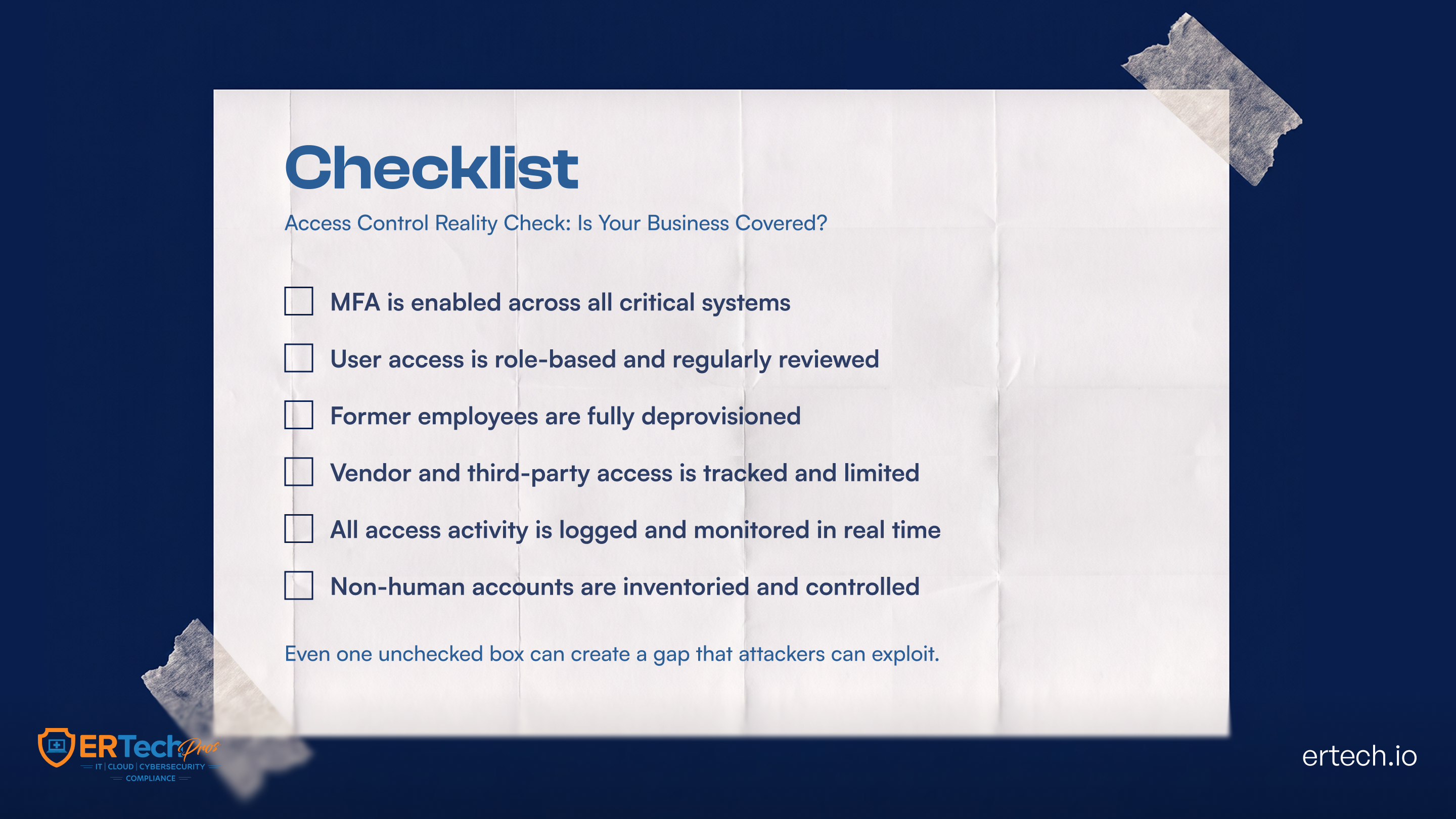
MFA is one of the single most effective access control measures available to any organization. ER Tech Pros implements and manages MFA across client environments as a baseline requirement because, in 2026, any account accessible with a password alone is a vulnerability.
Role-Based Access Control (RBAC)
RBAC is the most widely adopted access control model in business environments. Rather than assigning permissions to individual users, RBAC assigns permissions to roles, and users are granted access by being assigned to those roles. A billing team member assigned to the billing role inherits the associated permissions. When their responsibilities change, their role changes, and their permissions update accordingly.
RBAC enables organizations to implement the principle of least privilege: ensuring that every user has access only to the resources their specific function requires, and nothing more. It reduces administrative overhead, simplifies permission management at scale, and significantly limits the blast radius of any compromised account.
Regular Access Reviews
Permissions accumulate. Employees change roles. Contractors complete engagements. Without a structured, recurring process to review and validate who has access to what, organizations inevitably accumulate over-permissioned accounts and dormant credentials that attackers can exploit.
Regular access reviews are an operational practice that helps keep access control from degrading over time. Former employees must be completely deprovisioned, not just removed from the primary identity provider, but from every application they could reach.
External user accounts must be revoked when projects conclude. Organizations that assume deprovisioning occurs automatically when a user is removed from a central directory are frequently mistaken, and the gap between assumption and reality is where significant risk resides.
Audit Logs and Monitoring
Comprehensive logging and real-time monitoring are not administrative overhead; they are the mechanism through which access control failures are detected before they become full incidents. Audit logs track who accessed what, when, and from where. Real-time monitoring identifies anomalous behavior patterns that policy enforcement alone cannot catch.
ER Tech Pros integrates access monitoring into our 24/7 managed security operations, so unusual access activity is detected and investigated immediately, not discovered weeks later during a post-incident review.
What Is an Access Control List (ACL)?
An Access Control List (ACL) is a set of permissions associated with a resource that specifies which users, groups, systems, or processes can access that resource and what actions they can perform.
For example, an ACL for a shared company folder might allow the finance team to view and edit files while allowing other employees to view selected documents only.
ACLs are commonly used in operating systems, networks, applications, cloud environments, and file systems to enforce granular permissions.
Human and Non-Human Accounts: An Often-Overlooked Access Control Gap
Access control covers two distinct account populations: human users and non-human accounts. Human accounts are accessed via usernames, passwords, MFA, and SSO. Non-human accounts; service accounts, API tokens, automated processes, and integrations are typically authorized at creation and are rarely asked for secondary authentication.
Non-human accounts are among the most frequently overlooked yet most actively targeted categories in access control. They often carry significant privileges, accumulate over time without regular review, and are rarely monitored as closely as human accounts. Attackers know this, and they target non-human accounts specifically because their unfettered access makes them exceptionally valuable entry points.
Organizations should maintain a complete inventory of non-human accounts, ensure they are not over-permissioned relative to their actual functional requirements, and subject them to the same periodic access reviews applied to human users.
ER Tech Pros includes non-human account assessment and monitoring as a standard component of our identity and access management engagements because an access control strategy that covers human users but ignores service accounts and API tokens is, at best, half a strategy.
What Is the Principle of Least Privilege?
The principle of least privilege means giving users, applications, devices, and service accounts only the access they need to perform their intended functions.
For example, an employee who only needs to view customer records should not automatically receive permission to delete those records or modify security settings.
Least privilege reduces the potential impact of compromised accounts and helps limit unauthorized access and lateral movement within an environment.
Organizations should apply least privilege to:
- Employee accounts
- Administrator accounts
- Service accounts
- API credentials
- Applications
- Devices
- Cloud resources
- Third-party users
Least privilege should also be reviewed periodically because a user's access requirements can change as their responsibilities change.
What Is an Access Control Policy?
An access control policy is a documented set of rules that defines how an organization grants, manages, reviews, and removes access to systems, applications, networks, and data.
A strong access control policy should address:
- Who can request access
- Who approves access
- What information or systems can be accessed
- What level of permissions users receive
- Authentication and MFA requirements
- Privileged account management
- Remote access requirements
- Third-party access
- Service and API accounts
- Access review frequency
- Employee onboarding and offboarding
- Incident response and access revocation
Access control policies should be reviewed regularly to ensure that permissions remain aligned with current business requirements and security risks.
What Are Examples of Access Control?
Access control is used throughout everyday business technology. Common examples include:
- Requiring MFA before employees access company applications
- Restricting payroll information to authorized HR personnel
- Allowing administrators to manage servers while standard employees have read-only access
- Requiring employees to use company-managed devices to access sensitive systems
- Automatically removing application access when an employee leaves the organization
- Restricting access to cloud storage based on department or job role
- Requiring additional verification before accessing privileged accounts
- Limiting third-party access to only the systems required for a specific project
These controls demonstrate how access control combines identity verification, permissions, policies, and monitoring to protect business resources.
Access Control Best Practices
Regardless of organization size or complexity, the following practices form the foundation of effective access control:
Enforce least privilege consistently: Every user, service account, and automated process should have access only to what their specific function requires. This limits the potential damage of any compromised account and restricts the lateral movement available to an attacker.
Require MFA without exception: The marginal friction of a second authentication factor is negligible compared to the protection it provides. Any account accessible with a password alone, particularly any privileged account, represents unnecessary risk.
Conduct structured, recurring access reviews: Validate current permissions against current roles on a defined schedule. Deprovision former employees completely and immediately. Revoke external user access when engagements end.
Monitor access activity in real time: Logging and anomaly detection are what turn access control policies into operational security. Without them, policy violations and suspicious access patterns go undetected.
Extend access control discipline to non-human accounts: Service accounts and API tokens require the same least-privilege treatment and periodic review as human users.
Separate privileged accounts: Administrative privileges should be restricted to dedicated accounts and monitored more closely than standard user accounts.
Automate onboarding and offboarding: Automating access provisioning and deprovisioning can reduce the risk of forgotten accounts and excessive permissions.
Physical vs. Logical Access Control
Access control can protect both physical locations and digital resources.
Physical Access Control
Physical access control determines who can enter a building, office, server room, data center, or other restricted area. Examples include:
- Key cards
- Security badges
- Biometric scanners
- Security guards
- Smart locks
- Visitor management systems
Logical Access Control
Logical access control protects digital resources such as applications, networks, databases, cloud platforms, computers, and files.
Examples include:
- Passwords
- MFA
- SSO
- RBAC
- ACLs
- Privileged access management
- Network access controls
Modern organizations often need both physical and logical access controls because unauthorized physical access can also create cybersecurity risks.
Access Control vs. Identity and Access Management (IAM)
Access control and Identity and Access Management (IAM) are closely related but are not the same thing.
Access control focuses on determining and enforcing what users, devices, applications, and systems are allowed to access.
IAM is the broader framework used to manage digital identities and their access throughout the organization. IAM can include identity provisioning, authentication, authorization, SSO, MFA, password management, access reviews, and account lifecycle management.
Access control is therefore an important component of an organization's broader IAM strategy.
Why Is Access Control Important in Cybersecurity?
Access control is important because many cybersecurity incidents involve compromised credentials, excessive permissions, misconfigured accounts, or unauthorized access to sensitive resources.
Effective access controls can help organizations:
- Reduce unauthorized access
- Limit the impact of compromised credentials
- Protect sensitive business information
- Reduce excessive permissions
- Support regulatory and compliance requirements
- Improve visibility into account activity
- Reduce opportunities for lateral movement
- Strengthen identity security
- Improve employee onboarding and offboarding
- Protect privileged accounts
NIST defines access control as the process of granting or denying requests to obtain and use information and related information-processing services, reinforcing its role as a fundamental security control.
Common Access Control Mistakes
Even organizations with access control policies can create security gaps through poor implementation or inconsistent maintenance.
Common mistakes include:
- Giving users more permissions than they need: Excessive permissions increase the potential impact of a compromised account.
- Failing to remove access after employee termination: Former employees may retain access to applications or cloud resources if offboarding is incomplete.
- Relying only on passwords: Password-only authentication leaves accounts more exposed to phishing, credential theft, and password attacks.
- Ignoring service accounts and API credentials: Non-human identities can retain powerful permissions and are often overlooked during access reviews.
- Not reviewing administrator privileges: Privileged accounts should receive additional monitoring and stricter controls.
- Creating permissions manually without a consistent model: Ad hoc permissions can lead to permission sprawl and make access difficult to audit.
- Failing to monitor access activity: Without logging and monitoring, suspicious access may remain undetected.
How ER Tech Pros Help Businesses Implement Access Control
Most businesses have access control policies in place. Far fewer have the visibility, ongoing management, and technical enforcement to ensure those policies are working as intended across their entire environment.
ER Tech Pros approaches access control as a managed discipline rather than a one-time implementation. We begin with a comprehensive access control assessment that maps every user account, permission set, and access point across the client environment, surfacing over-permissioned accounts, dormant credentials, unreviewed non-human accounts, and policy gaps that create real exposure.
From that foundation, we design and implement access control frameworks appropriate to each client's environment, risk profile, and compliance requirements, deploying RBAC, enforcing MFA, establishing SSO where appropriate, and building the monitoring infrastructure that turns policy into operational reality.
Critically, we treat access control as an ongoing responsibility. Regular access reviews, complete enforcement of offboarding, non-human account monitoring, and real-time access anomaly detection are all built into the managed service we deliver, integrated with our broader cybersecurity and managed IT operations, so that access control decisions are never siloed from threat detection and incident response.
The businesses that manage access control most effectively are not necessarily those with the most sophisticated technology; they are those with clear policies, consistent enforcement, and a partner who helps them maintain that discipline across a continuously evolving environment.
Assess and Strengthen Your Access Control with ER Tech Pros!
Get expert help to evaluate, secure, and optimize your environment.
